Clinic management

The client books, pays and gets the invoice. On their own.

Clinic management for clinics with several professionals, specialities and locations. Clients book on their own in the portal, pay by MB WAY, Multibanco or card, and the invoice is issued automatically. The clinic runs everyone's calendar, payments and reports on one platform.

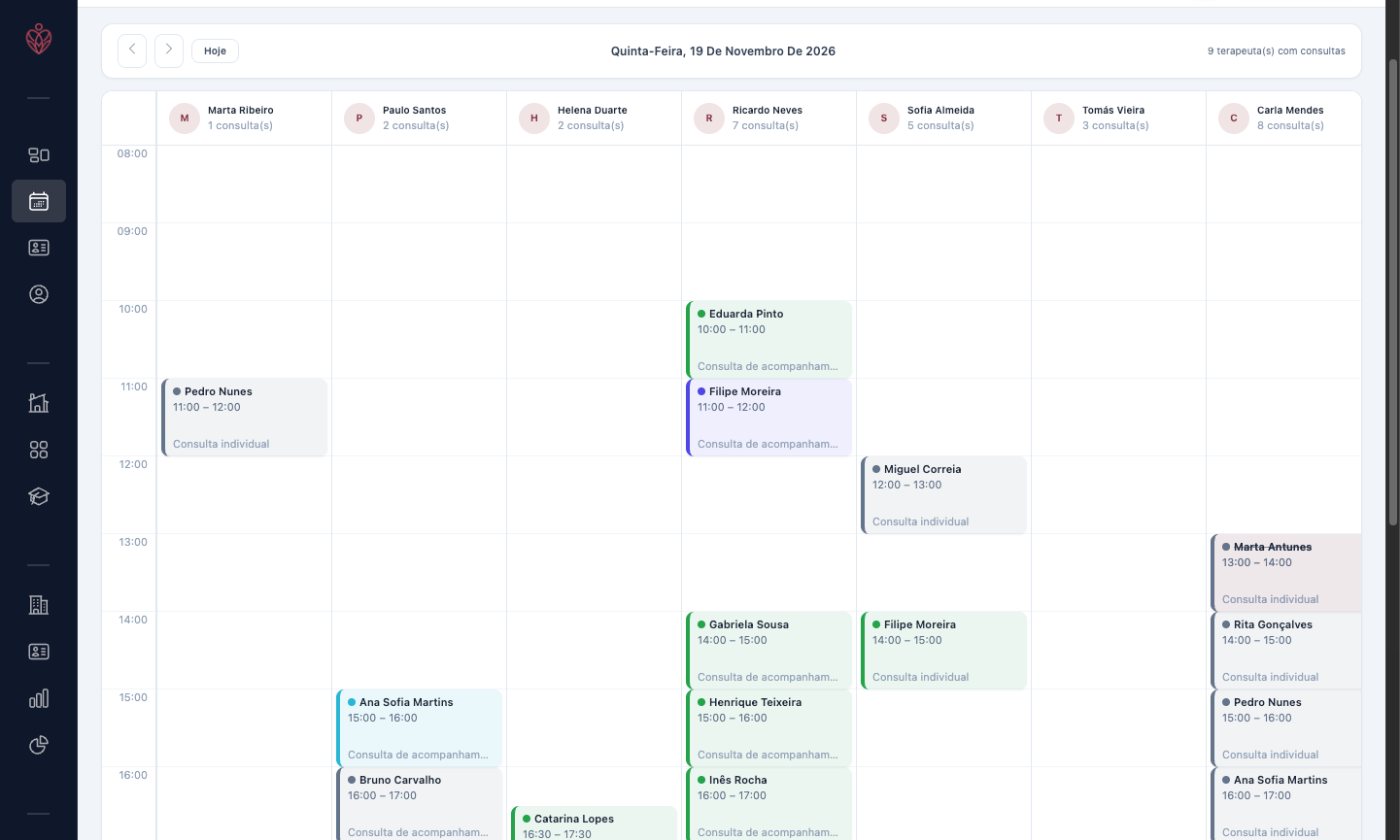
Clinic calendar by professional, with fictitious data
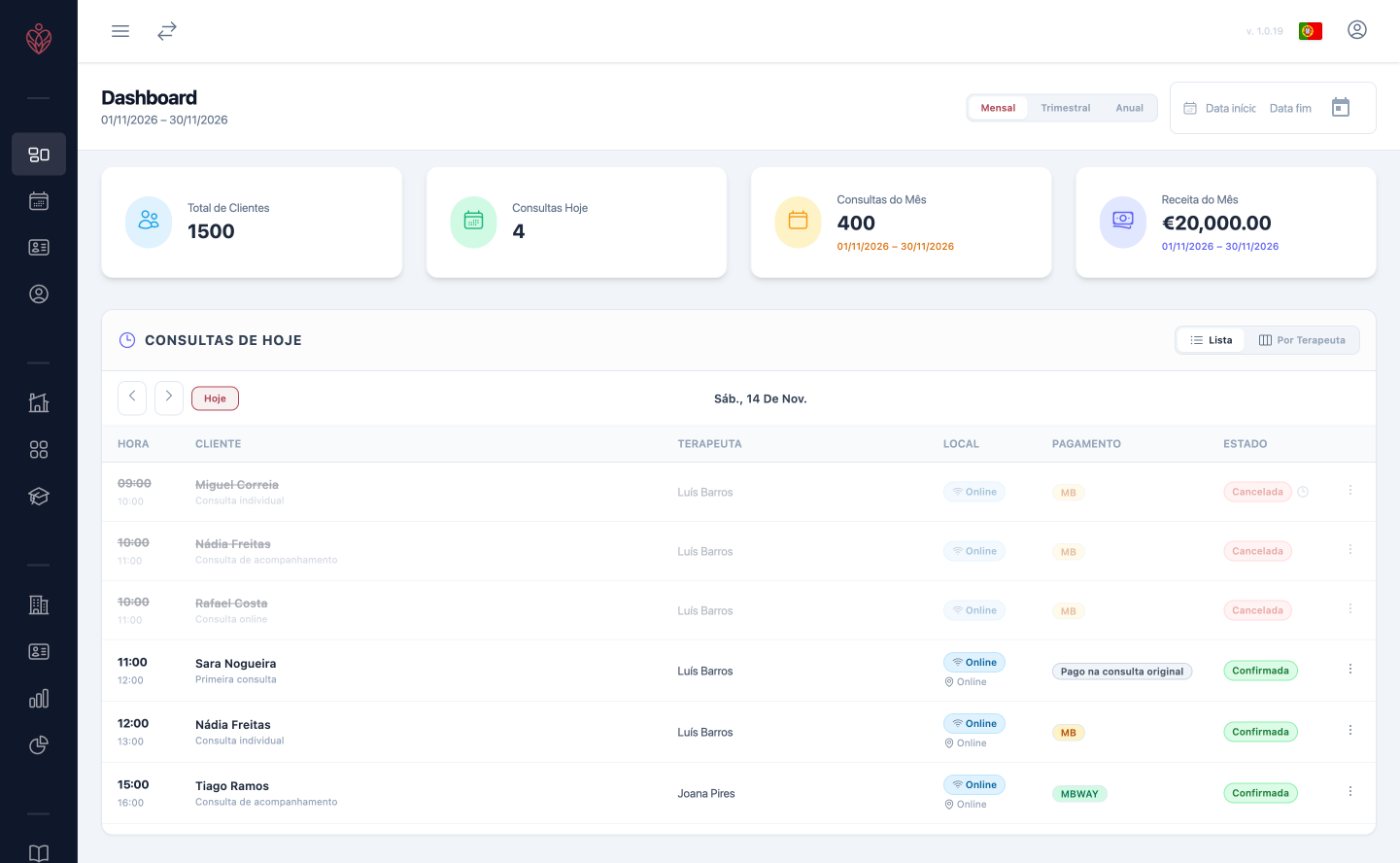
Screens recreated with fictitious data.
Book, pay, invoice

Clients book on their own in the portal. The rest happens on its own.

No phone calls to book, no payments checked by hand, no invoices written one by one.

  1. 1

    Book in the portal

    The client picks the professional, the location and the time, among the slots each professional opened. At any hour, without calling the clinic.

  2. 2

    Pay right away

    They pay by MB WAY, Multibanco reference or card. Once paid, the appointment is confirmed and the client gets the confirmation by email.

  3. 3

    The invoice issues itself

    The invoice is issued in Moloni as soon as the payment arrives and stays in the client portal. If they cancel in time, the appointment becomes credit or is refunded, with a credit note.

Illustration of the journey, with fictitious data.

Before

When the clinic grows, the calendar no longer fits in a notebook

  • Calendars of several professionals and locations in sheets and scattered messages
  • Payments checked by hand and invoices issued one by one
  • Cancellations and rescheduling with no rules, and credits nobody tracks
  • Management without knowing how much each location and each professional billed
Three apps, one clinic

Everyone sees what they need

Reception, professionals and clients work on the same data, each with their own app and only the access that belongs to them.

Reception and management

Back office

Where the clinic is run: bookings, clients, professionals, locations and the accounts.

  • Bookings as a table, a calendar or by professional
  • Locations, rooms and specialities, with price and duration
  • Reports by clinic, by professional and overall
  • Access profiles for administration, reception and professionals

Professionals

Professional app

Each professional's day: the calendar, the clients and what is pending.

  • Opens slots one by one or for several weeks at once
  • Books appointments for their clients
  • Records a report for each session
  • Sees earnings and next month's forecast
Clients

Client portal

Each client books, pays and follows their appointments and documents, with their own access.

  • Books on their own and pays on the spot
  • Guardians with their own account to follow minors
  • Booked appointments, with the status of each
  • Invoices to download
  • Cancellation within the clinic's rules
The journey of an appointment

From an open slot to an issued invoice

Follow an appointment through the platform, step by step. Screens recreated with fictitious data.

The professional opens their slots
Screens recreated with fictitious data.
What it does

Everything a clinic with several professionals needs

01

Calendar and bookings

  • Self-booking by the client in the portal
  • Calendar by professional, location and room
  • Slots opened in bulk, with breaks
  • Automatic email reminders and notices
02

Cancellations and rescheduling

  • The clinic's cancellation rules
  • An appointment cancelled in time becomes credit to reschedule
  • Rescheduling with the price difference settled
  • Record of who cancelled and why
03

Payments

  • Multibanco reference, MB WAY and card
  • Payment at the clinic
  • Unpaid reminder and the slot freed
  • Refunds when an appointment is cancelled
04

Invoicing

  • Invoice issued in Moloni on each payment
  • Credit note on refunds
  • Invoices available in the client portal
05

Locations and professionals

  • Several locations, with rooms and specialities
  • Price and duration by speciality and location
  • Commission for each professional by speciality and location
  • In-person and online appointments
06

Clients

  • File with details, insurance and preferred location
  • Minors, with the guardian linked to the file by an authorisation code
  • Guardian with their own account to follow the minor's appointments and invoices
  • Main professional of each client
  • Export of clients and appointments
07

Reports

  • Clinic dashboard with the figures of the period
  • Billing by clinic, by professional and overall
  • Operational report
  • Next-month forecast for each professional
08

Access and audit

  • Access profiles by role
  • Each person only sees what belongs to them
  • Session reports visible only to the client's professionals
  • Record of who did what
How it starts

Fitted to your clinic, not the other way round

  1. 1
    Conversation and demo

    We show the platform with fictitious data and learn how your clinic works today: locations, specialities, prices and rules.

  2. 2
    Setup

    We set up locations, rooms, specialities, prices, cancellation rules and access profiles. Anything specific to your clinic is assessed separately.

  3. 3
    Launch and follow-up

    We launch with the team and keep maintaining and evolving the platform. The price is set for each clinic.

Want to see the clinic management platform running?

Tell us how many locations and professionals you have. We show a client booking, paying and getting the invoice, with fictitious data.